Last updated July 1, 2026 · Marlo Technologies LLC
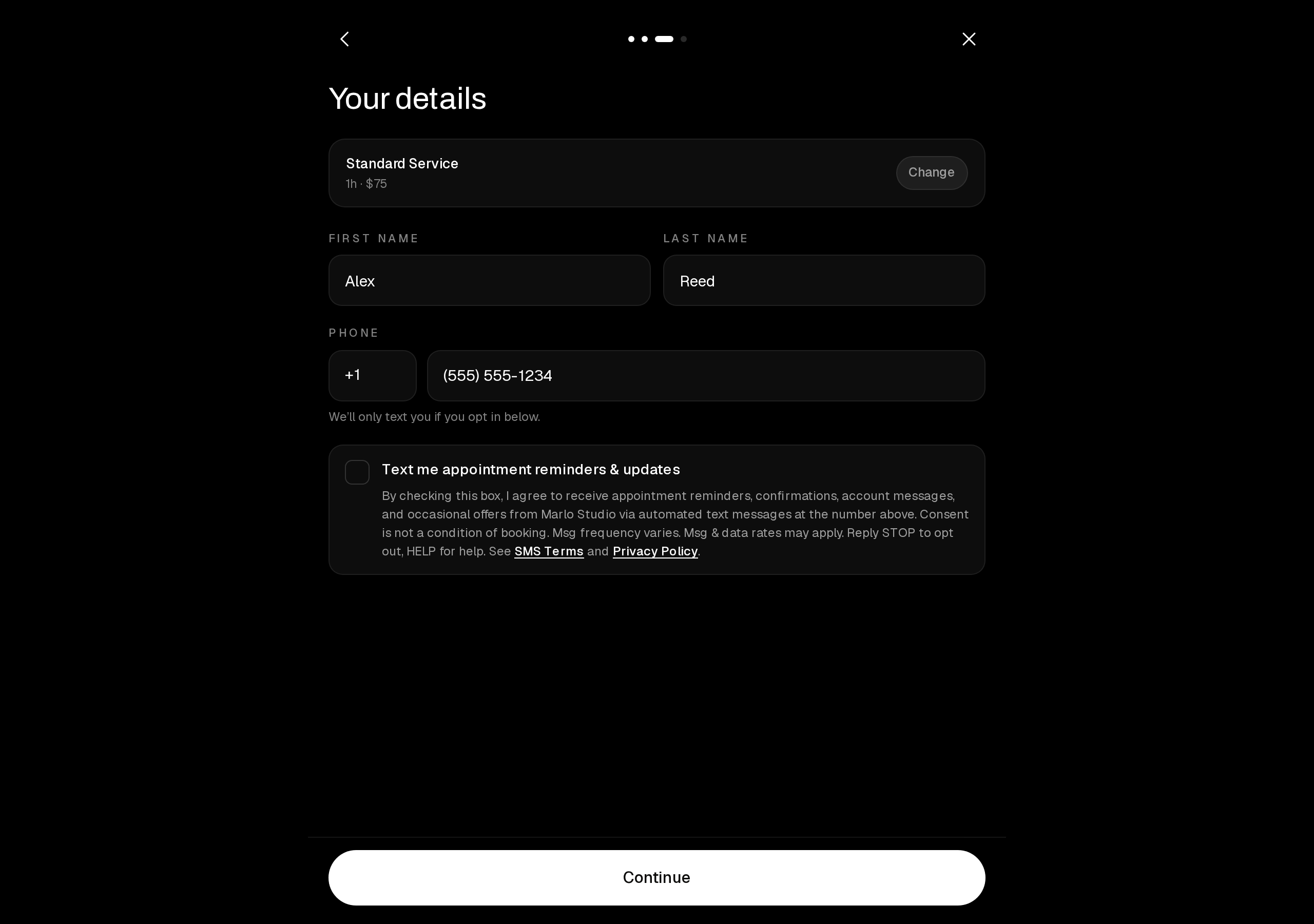
This page documents how consumers opt in to SMS messages on a business's public Marlo booking page. Consumers opt in exclusively via the web checkbox shown below. A live example of this flow is available at marlostudio.onmarlo.com — tap any service, pick a date and time, and continue to the details step.
1. The opt-in checkbox (unchecked by default)
The booking "Your details" step. The SMS consent checkbox is unchecked by default and is not required to complete a booking. The full disclosure — message types, "Consent is not a condition of booking," frequency, rates, STOP/HELP, and links to the SMS Terms and Privacy Policy — is shown at the point of consent.
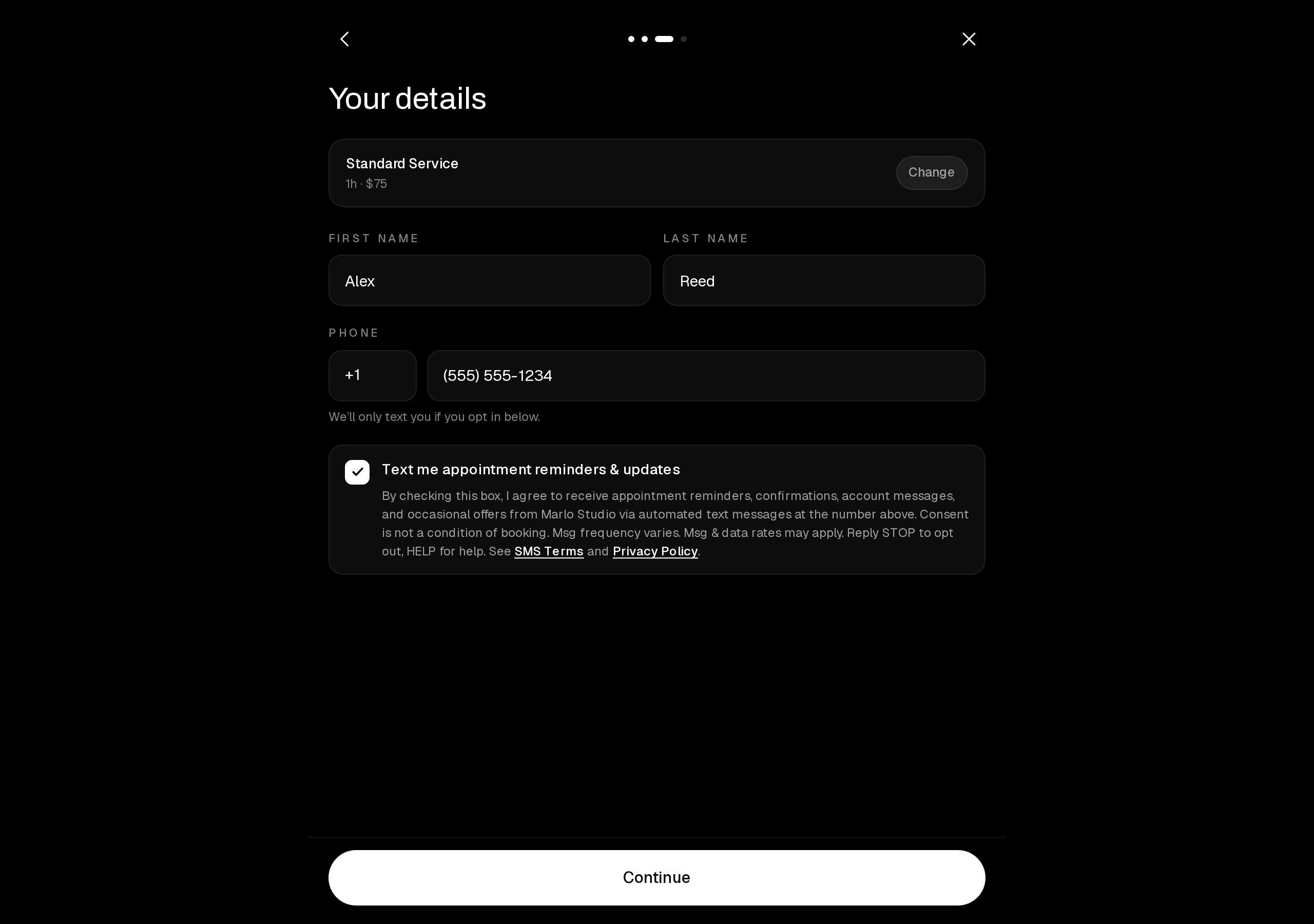
2. Active consent (checked state)
The consumer must actively check the box to opt in. Consent is captured and stored per client.
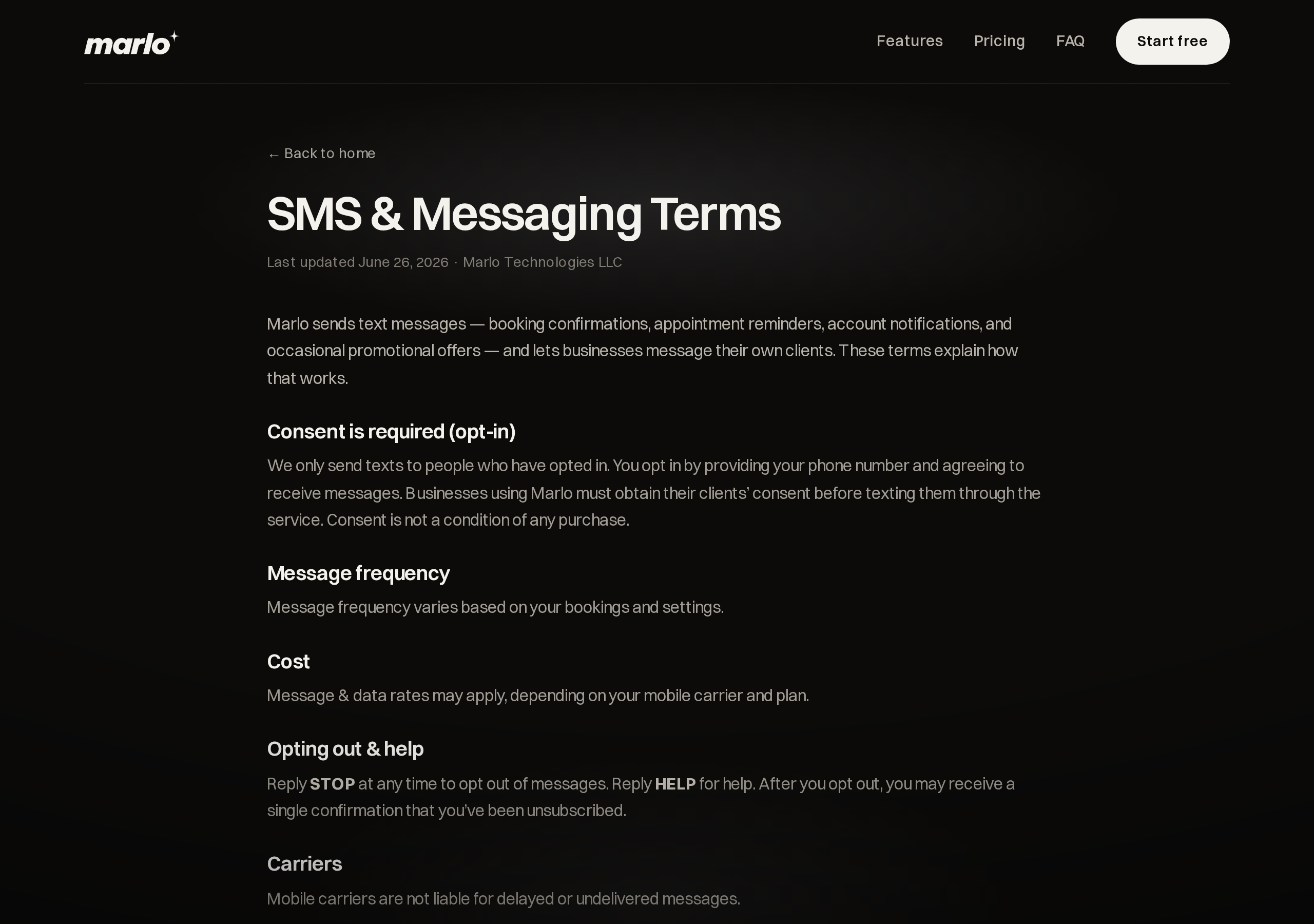
3. Published SMS Terms
The public SMS & Messaging Terms page linked from the disclosure, covering consent, frequency, cost, opt-out (STOP), help (HELP), and the no-sharing commitment. See also the Privacy Policy.